
Nearly half of American small businesses miss out on local customers by skipping key setup steps on Google. With online searches driving daily decisions, a complete Google Business Profile can mean the difference between being discovered or overlooked. Mastering this process helps your business stand out, attract more local attention, and connect with customers where it matters most.
Table of Contents
- Step 1: Set Up Your Google Business Profile Access
- Step 2: Identify Local Topics That Attract Customers
- Step 3: Craft Compelling Content For Florida Audiences
- Step 4: Add Images And Links That Drive Engagement
- Step 5: Review, Publish, And Monitor Post Performance
Quick Summary
| Key Point | Explanation |
|---|---|
| 1. Set Up Your Google Business Profile | Claim your profile with a Google Account to attract local customers and enhance visibility. |
| 2. Understand Local Customer Needs | Analyze local trends and interests to create targeted content that resonates with your community. |
| 3. Craft Engaging Google Posts | Use high-quality images and tailored messaging to connect with Florida audiences and highlight local relevance. |
| 4. Incorporate Effective Links | Link to landing pages or promotions that facilitate customer engagement and provide additional value. |
| 5. Monitor and Adjust Post Performance | Regularly review analytics to refine your content strategy based on engagement data and emerging trends. |
Step 1: Set Up Your Google Business Profile Access
Setting up your Google Business Profile is the crucial first step in creating an online presence that attracts local customers and boosts your visibility. In this section, you will learn how to claim and access your business profile directly through Google’s platform.
To begin, you will need a Google Account associated with your business email. If you do not have one, create a new Google Account specifically for your business management. Navigate to Google Business Profile management page and click on the “Manage Now” button. Enter your business name and address exactly as they appear on official documents. Google will verify whether your business already exists in their system.
If your business is not currently listed, you will need to add it manually. Select your business category carefully, as this helps Google understand and categorize your services for potential customers. After submission, Google will require verification through a postcard, phone call, or email depending on your business type. This verification process ensures that only legitimate business owners can manage profile information.
Here is a summary of Google Business Profile verification methods and their advantages:
| Verification Method | Description | Business Benefit |
|---|---|---|
| Postcard | Mailed to business address | High security for physical locations |
| Phone Call | Automated code via phone | Quick process for eligible businesses |
| Verification link sent to email | Convenient for already-listed owners |
Once verified, you gain complete control over your business information, enabling you to update hours, add photos, respond to customer reviews, and post regular updates that can significantly improve your local search rankings.
Pro Tip: Use a dedicated business email address for your Google Business Profile to maintain professional separation between personal and business communications, and ensure smooth management of your online presence.
Step 2: Identify Local Topics That Attract Customers
Successful Google Business Posts require understanding the specific interests and needs of your local customer base. Your goal in this step is to develop targeted content that resonates with potential customers in your immediate geographic area.
Start by analyzing the unique characteristics of your local market. Research local events, seasonal trends, and community interests that directly relate to your business offerings. Local SEO optimization strategies can help you uncover the most relevant topics that will capture your audience’s attention. Consider the specific challenges, desires, and conversations happening within your community. For service-based businesses, this might mean highlighting solutions to common local problems or showcasing how your services address specific regional needs.
To generate compelling topic ideas, engage with local customer feedback, review community forums, and monitor social media discussions specific to your area. Pay attention to frequently asked questions, common pain points, and emerging trends that your business can authentically address. Create content that demonstrates your deep understanding of local needs and your ability to provide targeted solutions. This approach not only attracts potential customers but also establishes your business as a trusted local expert.
Pro Tip: Develop a content calendar that aligns local events, seasonal changes, and community interests with your business offerings to create timely and relevant Google Business Posts that truly resonate with your local audience.
Step 3: Craft Compelling Content for Florida Audiences
Creating Google Business Posts that resonate with Florida audiences requires a strategic approach that combines local insights, visual storytelling, and targeted messaging. Your content must capture the unique spirit and interests of local customers while providing genuine value and authenticity.
When developing your posts, focus on creating concise and visually engaging content that speaks directly to your local community. Effective Google Post strategies emphasize using original images that showcase your business personality. For Florida businesses, this might mean highlighting local landmarks, sharing behind-the-scenes moments of your team, or featuring seasonal content that reflects the state’s vibrant culture. Use crisp, high-quality photos that tell a story and immediately grab potential customers’ attention. Your images should be authentic representations of your business that create an immediate connection with local viewers.
Tailor your messaging to address specific local needs and interests. Consider incorporating references to Florida events, weather patterns, or community challenges that your business can help solve. Write in a conversational tone that feels approachable and genuine. Keep your posts short, focused, and centered on a single key message that provides clear value to your local audience. Whether you are promoting a special offer, sharing a seasonal service, or highlighting a community involvement, ensure that each post demonstrates your understanding of and commitment to the local Florida market.
Below is a comparison of key content elements for effective Google Business Posts aimed at Florida audiences:
| Content Element | Purpose | Practical Example |
|---|---|---|
| Local Images | Build authenticity and draw attention | Photo of business at a Florida landmark |
| Seasonal References | Make messaging timely and relevant | Featuring summer specials in posts |
| Community Topics | Show engagement with locals | Post about hurricane preparedness event |
Pro Tip: Create a content library of local images and draft post ideas in advance, allowing you to quickly publish timely and relevant Google Business Posts that showcase your business’s authentic connection to the Florida community.
Step 4: Add Images and Links That Drive Engagement
Engaging Google Business Posts require strategic use of visual content and targeted links that transform casual viewers into potential customers. Your goal is to create posts that not only catch the eye but also provide clear pathways for customer interaction and exploration.
Effective Google Post strategies emphasize the importance of high-quality visual content and strategic linking. Choose images that are crisp, professional, and authentic to your business brand. Original photos featuring your team, workspace, products, or services will create a more genuine connection with local audiences. When selecting images, prioritize clarity and visual appeal. Ensure your photos are well lit, properly framed, and showcase your business in the most compelling manner possible. Include variety in your visual content to keep your posts fresh and engaging.

Integrate strategic links that provide additional value to potential customers. These links should direct viewers to specific landing pages, service descriptions, or relevant content that expands on the post’s message. Use descriptive anchor text that clearly communicates what viewers can expect when they click. Consider linking to pages that offer special promotions, detailed service information, or helpful resources that demonstrate your expertise. Carefully craft your link placement to feel natural and enhance the overall user experience, guiding potential customers smoothly through their decision making process.
Pro Tip: Create a consistent visual style for your Google Business Posts by developing a simple image template that incorporates your brand colors and logo, ensuring immediate recognition and professional presentation.
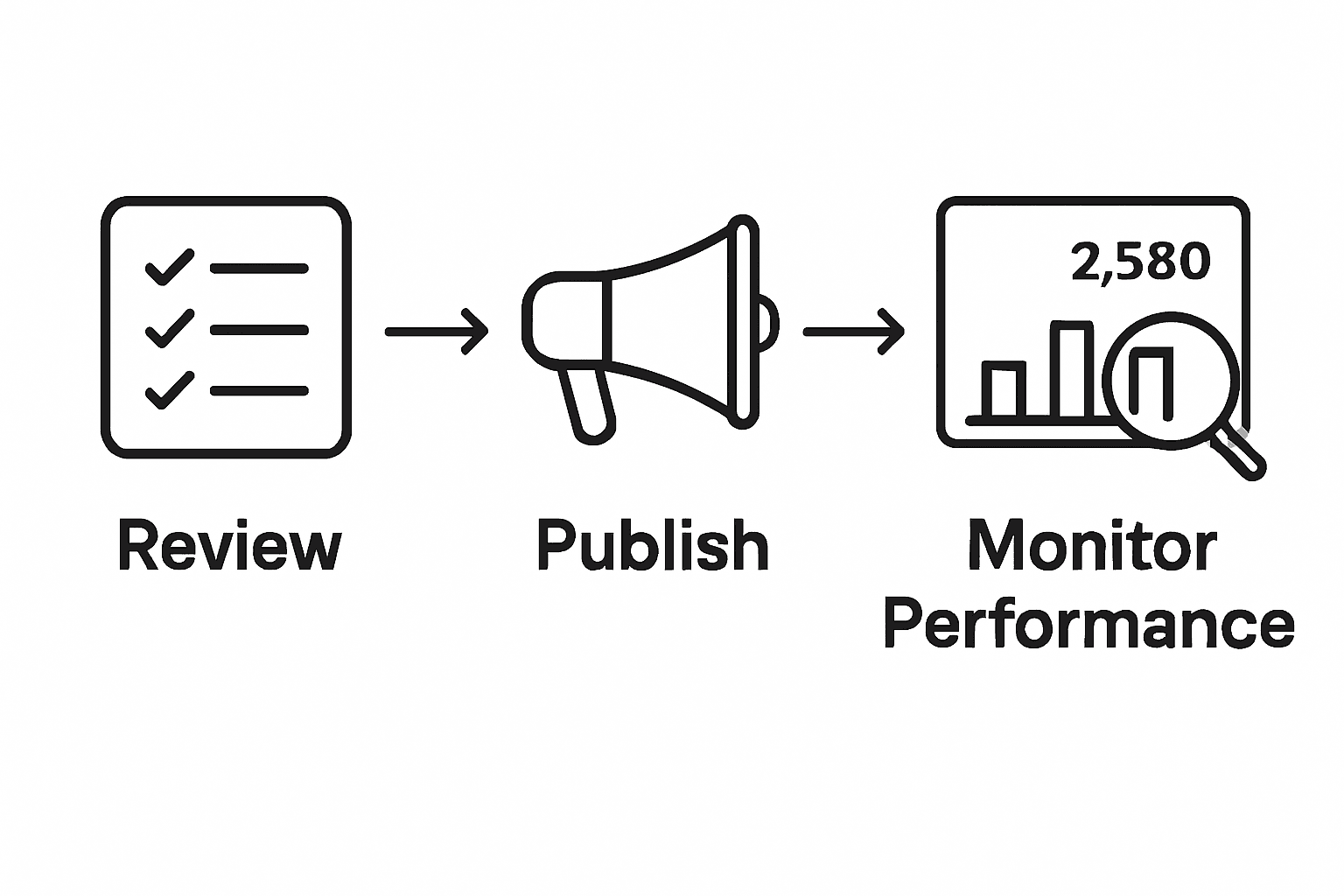
Step 5: Review, Publish, and Monitor Post Performance
Successful Google Business Posts require a strategic approach to content creation, publication, and ongoing performance tracking. Your goal is to create posts that not only look professional but also drive meaningful engagement with potential customers.
Before publishing, carefully review your posts using professional content strategies that ensure quality and clarity. Proofread every post meticulously to eliminate grammar errors, typos, and unclear messaging. Verify that your images are high resolution, your links are functional, and your content communicates a single clear message. Focus on creating concise posts that quickly capture a viewer’s attention and provide immediate value. Remember that potential customers often scroll quickly through content, so your message needs to be sharp, engaging, and instantly understandable.
After publishing, consistently monitor your post performance using Google Business Profile analytics. Track metrics such as views, clicks, and customer interactions to understand which types of content resonate most with your local audience. Pay attention to patterns in engagement times, visual content effectiveness, and link click through rates. Use these insights to continuously refine your posting strategy, experimenting with different image styles, messaging approaches, and promotional offers. Treat each post as a learning opportunity that helps you better understand and connect with your potential customers.
Pro Tip: Set a recurring calendar reminder to review your Google Business Post performance monthly, allowing you to systematically adjust your content strategy based on real data and emerging local market trends.
Take Control of Your Local Leads with All-in-One Digital Marketing
Writing Google Business Posts that truly capture local attention can be challenging. From verifying your business profile to crafting posts with the right local images and links, every detail matters to attract Florida customers and grow your leads. The article highlights how managing these tasks manually is time-consuming and requires constant monitoring to stay effective. If you want to save time, reduce costly trial and error, and boost your local SEO with professional ease, there is a smarter way.
Nimblo.ai offers Florida SMBs a powerful platform that consolidates your SEO, Google Business Profile management, and marketing automation into one user-friendly solution. With features like AI-powered local SEO, schema markup, and automated follow-ups, you get everything needed to create posts that engage your community and generate leads without hassle. Imagine having a streamlined tool that helps you quickly publish optimized content, monitor performance, and continuously improve your local presence.
Unlock your business’s full potential today.
Ready to boost your local leads AND simplify your digital marketing?
Get started with Nimblo.ai’s complete platform at https://nimblo.ai/99down to transform your Google Business Posts into a powerful lead generation engine now. Discover how easy local SEO optimization can be with Local SEO optimization strategies backed by expert automation. Don’t wait to stand out in your Florida community—explore how Nimblo.ai delivers results and start converting local interest into real customers today.
Frequently Asked Questions
How do I set up my Google Business Profile to attract local leads?
To attract local leads, create and verify your Google Business Profile using a business email. Follow the steps to claim your business, choose an appropriate category, and complete all business information to maximize visibility in local searches.
What type of content should I include in my Google Business Posts?
Include locally relevant and engaging content that resonates with your target audience. Focus on seasonal trends, local events, or community issues, ensuring that each post provides value and demonstrates your understanding of local needs.
How can I optimize images in my Google Business Posts for better engagement?
Optimize your images by using high-quality, original photos that represent your business authentically. Include local landmarks or seasonal visuals that attract local attention, and ensure the images are well-lit and properly framed to enhance user engagement.
What metrics should I track to assess the performance of my Google Business Posts?
Track metrics such as views, clicks, and customer interactions to gauge the effectiveness of your posts. Use this data monthly to identify trends and refine your content strategy, aiming to increase engagement rates by ~20% over time.
How often should I publish Google Business Posts to maintain audience interest?
Aim to publish Google Business Posts at least once a week to keep your audience engaged and informed. A consistent posting schedule, aligned with local events and seasons, can help you maintain relevance and boost local leads effectively.