
TL;DR:
- An optimized Google Business Profile significantly enhances local search visibility and customer trust.
- Consistently updating reviews, photos, and profile information improves rankings and engagement.
- Accurate setup and ongoing management are essential to outperform competitors and attract local customers.
Every day, potential customers search Google for businesses exactly like yours, and if your Google Business Profile is incomplete or missing, they find your competitor instead. A poorly configured profile does more than hurt your rankings — it signals to searchers that your business may not be credible or even open. This guide walks business owners and marketing managers through every step of setting up and optimizing a Google Business Profile, from the prerequisites you need before you start to the ongoing habits that keep your local visibility climbing.
Table of Contents
- Why your Google Business Profile matters
- What you need before starting: Requirements and materials
- Step-by-step Google Business Profile setup
- Optimization essentials: Categories, descriptions, photos, and reviews
- Avoiding pitfalls and ensuring ongoing success
- Our take: What most guides miss about Google Business Profile success
- Supercharge your visibility with expert tools
- Frequently asked questions
Key Takeaways
| Point | Details |
|---|---|
| Complete setup is crucial | A fully completed and verified profile dramatically increases your business’s trust, discovery, and ranking in local searches. |
| Category and reviews drive ranking | Accurate categories and consistent, recent reviews are the biggest levers for visibility beyond proximity. |
| Photos and activity matter | Uploading 25+ photos and making weekly updates helps your profile attract more customers and stay prominent. |
| Avoid common pitfalls | Never use keywords in your name or forget to hide your address as an SAB to prevent suspension and listing problems. |
Why your Google Business Profile matters
Google processes billions of local searches every single month. When someone types “plumber near me” or “best coffee shop downtown,” Google’s algorithm decides which businesses to show in the local pack — that prominent map section at the top of results. Your Google Business Profile is the primary signal Google uses to make that decision.
The data is clear: complete profiles are 2.7x more reputable in the eyes of potential customers and consistently attract more foot traffic, calls, and website visits. An incomplete profile, on the other hand, leaves money on the table every single day.
Google’s local ranking algorithm weighs three core factors:
- Proximity: How close your business is to the searcher’s location
- Relevance: How well your profile matches what the person is searching for
- Prominence: How well-known and active your business appears online
Proximity accounts for up to 55% of ranking weight, but relevance and prominence are the factors you can actively control and improve. This is where smart profile optimization pays off.
| Ranking factor | Your control level | Impact on ranking |
|---|---|---|
| Proximity | Low | Up to 55% |
| Relevance (category, description) | High | Significant |
| Prominence (reviews, activity) | High | Significant |
Common problems from poorly managed profiles include wrong hours that frustrate customers, missing categories that make you invisible for key searches, and no photos that make your listing look abandoned. Learning the Google Business Profile basics before you start saves you from these costly mistakes. Pairing that with proven local SEO strategies puts you ahead of most local competitors.
“A complete, active Google Business Profile is one of the highest-ROI investments a local business can make — and it costs nothing but time.”
Now that you understand the stakes, let’s look at what you’ll need to get started.
What you need before starting: Requirements and materials
Rushing into setup without the right information is a fast way to create errors that take weeks to fix. Before you open Google Business Profile, gather everything on this checklist.
What to have ready:
- A Google account (Gmail or Google Workspace)
- Your exact legal business name (no added keywords)
- Physical address or defined service area
- Primary phone number and website URL
- Business hours, including holiday hours
- Primary and secondary business categories
- At least 25 high-quality photos (interior, exterior, team, products)
- A short business description (up to 750 characters)
For Service-Area Businesses (SABs) — businesses that travel to customers rather than receiving them at a fixed address — you must define your service area accurately. You will not display a street address publicly. Instead, you list the cities, zip codes, or regions you serve.
Verification is required before your profile goes live. Google offers several methods:
| Verification method | Best for | Typical wait time |
|---|---|---|
| Postcard | Storefronts | 5 to 14 days |
| Phone or email | Eligible businesses | Minutes |
| Video call | New or SAB businesses | Hours to 1 day |
| Instant verification | Google Search Console users | Immediate |
Business eligibility rules are strict: online-only businesses, rental properties without staff on-site, and businesses that operate solely out of a virtual office are not eligible. Violating these rules risks suspension.
Review the full step-by-step profile guide and bookmark the profile setup checklist to keep yourself organized through the process.
Pro Tip: Have at least 25 photos ready before you begin. Profiles with strong photo libraries get a visibility boost from day one, rather than having to play catch-up after verification.
With everything in hand, you’re ready to begin the setup process.
Step-by-step Google Business Profile setup
Follow these steps carefully. Skipping or rushing any of them creates gaps that hurt your ranking later.
- Sign in to Google and go to Google Business Profile. Search for your business name. If it appears, claim it. If not, select “Add your business to Google.”
- Enter your business name exactly as it appears on your signage and legal documents. Do not add city names, keywords, or taglines. Google penalizes this practice.
- Choose your primary category with care. This is your single most important ranking signal. Then add up to nine secondary categories to capture related searches.
- Enter your address if you are a storefront. If you are an SAB, SABs must hide their address and define service areas within roughly a two-hour drive from your base.
- Add contact details and business hours. Include your phone number, website, and accurate open hours. Set special hours for holidays in advance.
- Upload photos. Include interior shots, exterior shots showing your signage, team photos, and product or service images. Quality matters more than quantity, but aim for 25 or more.
- Request verification using the method Google offers for your business type. Setup and verification via postcard, phone, email, or video are all valid paths.
| Step | Common mistake | How to avoid it |
|---|---|---|
| Business name | Adding keywords | Use legal name only |
| Category | Choosing broad category | Pick the most specific fit |
| Address (SAB) | Showing address publicly | Hide it in settings |
| Photos | Uploading low-res images | Use 720px minimum |
Explore all available profile features to make sure you are not missing anything, and review the service area setup guide if you operate as an SAB.
Pro Tip: For SABs going through video verification, film your vehicle with your business name visible, your equipment, and yourself actively performing a service task. Prepare this footage before requesting verification to avoid delays.
After profile creation, you’ll want to ensure every field is optimized to get found and stand out.
Optimization essentials: Categories, descriptions, photos, and reviews
Setting up a profile is just the starting line. Optimization is where you actually win local rankings.

Categories are your most powerful lever. The primary category is the number one ranking signal in Google’s algorithm. Choose the most specific category that describes your core business, not a broad one. A tax preparation firm should choose “Tax Preparation Service” rather than “Financial Service.”
Descriptions give you 750 characters to tell Google and customers what you do. Write naturally, mention your key services and location, and avoid stuffing keywords awkwardly. Think of it as a spoken elevator pitch, not a keyword list.
Photos drive real engagement. Businesses with 25 or more images see measurably better results:
- 25 to 50 reviews increase the likelihood of appearing in the top three local results by 1.4x
- Profiles with 25 or more photos can see up to 12% higher visibility in local search
- Fresh photos added regularly signal an active, trustworthy business
Reviews are a compounding asset. Asking satisfied customers for reviews consistently, and responding to every review (positive or negative), builds the review velocity that Google rewards. It is not just about total count — recent reviews carry more weight than old ones.
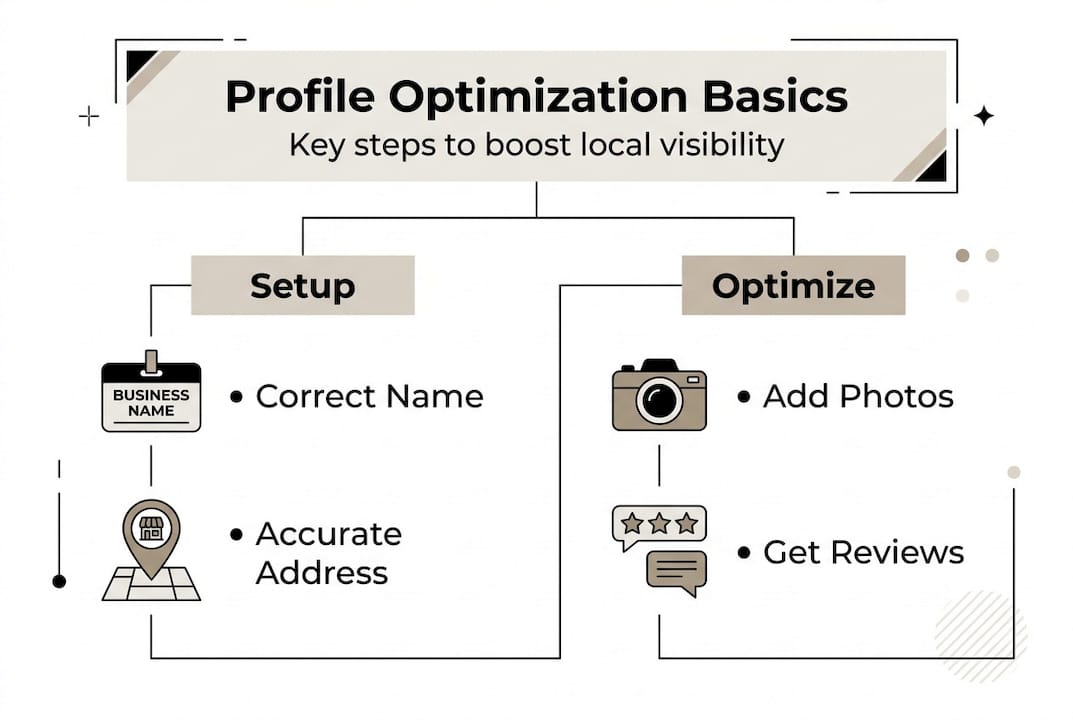
Attributes are often overlooked. Adding details like wheelchair accessibility, payment types accepted, outdoor seating, or Wi-Fi availability improves your relevance score for specific searches.
Pro Tip: When you change your primary category, give it two to four weeks before evaluating the ranking impact. Categories interact with dozens of other signals, so patience is essential before making another change.
Read more feature optimization advice, study the profile tips that work in competitive markets, and learn how to write effective business posts that keep your profile active.
With your profile fully optimized, it’s vital to monitor performance and avoid missteps that could harm rankings.
Avoiding pitfalls and ensuring ongoing success
Even a well-set-up profile can lose ground through avoidable mistakes. Here are the most common ones and how to sidestep them.
Never add keywords to your business name. Google’s guidelines prohibit it, and competitors can flag your listing, leading to suspension. Your business name should match your signage exactly.
Always hide your address if you are an SAB. Displaying a home address or a virtual office address can get your listing removed entirely.
Keep NAP consistent. NAP stands for Name, Address, and Phone number. Every directory listing, social profile, and website mention must match your Google Business Profile exactly. Even small differences like “St.” versus “Street” can confuse Google’s algorithm.
Active profiles that post weekly updates, monitor insights, and maintain NAP consistency consistently outperform stagnant ones in local rankings.
Ongoing habits that protect and grow your ranking:
- Post a Google update at least once per week (offers, events, news)
- Add new photos monthly
- Update hours before holidays and special events
- Monitor your Insights dashboard for search queries and customer actions
- Respond to every review within 24 to 48 hours
- Audit your NAP data across directories quarterly
“Businesses with active, complete profiles consistently achieve higher rankings and conversions.”
Review the profile maintenance tips to build a repeatable monthly routine that keeps your profile competitive without consuming hours of your time.
Armed with these best practices, you’re equipped to claim and control your local visibility.
Our take: What most guides miss about Google Business Profile success
Most articles focus on the setup checklist and stop there. What actually separates businesses that dominate local results from those that stagnate is a habit of systematic experimentation.
The biggest missed opportunity we see is ignoring review velocity. Total review count matters, but a business with 15 reviews earned in the last 30 days often outranks a competitor with 200 reviews earned over three years. Google interprets recent activity as a signal that your business is currently relevant and trustworthy.
Another overlooked lever is category testing. Testing category tweaks and focusing on review velocity can produce ranking gains that surprise even experienced marketers. Most businesses set their category once and never revisit it.
Over-focusing on proximity is also a trap. Yes, proximity is the largest single factor, but you cannot move your business. What you can do is outperform nearby competitors on every controllable signal — category precision, description quality, photo freshness, and review recency. Study local SEO best practices to build a long-term competitive edge that proximity alone cannot replicate.
Pro Tip: Track every profile change in a simple log with the date and what you changed. Give each change two to four weeks before drawing conclusions. This turns your profile into a living experiment rather than a static listing.
Supercharge your visibility with expert tools
Setting up and optimizing a Google Business Profile correctly takes time, precision, and ongoing attention — three things most business owners and marketing managers are already short on. If you want to skip the guesswork and get results faster, Nimblo has the resources to help.
Explore Nimblo’s Google Business Profile solutions to access tools and expert guidance built specifically for businesses serious about local visibility. Or start with the in-depth setup guide to reinforce every step covered in this article. Either way, you will be moving faster than the competitors still figuring it out on their own.
Frequently asked questions
How long does it take to set up and verify a Google Business Profile?
Most businesses complete the setup form in under 30 minutes. Verification via postcard, phone, or video can range from a few minutes to several days depending on the method chosen.
What are the most common reasons for Google Business Profile suspension?
The most frequent causes are keyword stuffing in the business name, using an ineligible address, and failing to hide the address for SABs. Address errors and name violations are the top triggers Google flags.
Do I need a separate Google Business Profile for each location?
Yes. Each physical location or distinct service area needs its own profile. Multiple locations require distinct profiles to accurately represent each one in local search results.
How many photos should I upload to my Google Business Profile?
Aim for at least 25 high-quality images to start. Profiles with 25 or more photos see up to 12% higher visibility compared to profiles with fewer images.
How can I improve my profile’s ranking once it’s set up?
Focus on choosing the most specific primary category, earning consistent recent reviews, and posting weekly updates. Category, reviews, and regular activity are the top controllable ranking factors after your profile is live.