
Most American small business websites lose nearly half their visitors if pages take over three seconds to load. In Florida, where every customer counts, slow sites mean lost leads and wasted marketing dollars. Affordable solutions exist to turn this around. You will discover practical ways to boost site speed, keep local visitors engaged, and make every click count for your Florida business.
Table of Contents
- 1. Choose Fast, Reliable Web Hosting for Local Businesses
- 2. Compress Images Without Losing Quality for Faster Loading
- 3. Minimize Code by Reducing CSS and JavaScript Files
- 4. Leverage Browser Caching to Help Repeat Visitors
- 5. Enable Content Delivery Networks for Regional Performance
- 6. Optimize Website for Mobile Device Speed
- 7. Monitor Site Speed and Address Issues Regularly
Quick Summary
| Key Insight | Explanation |
|---|---|
| 1. Choose Specialized Local Hosting | Opt for web hosting providers with local server infrastructure for improved speed and reliability. |
| 2. Optimize Images for Faster Loading | Use image compression techniques, including lossy and lossless methods, to enhance site speed without losing quality. |
| 3. Minimize Code for Better Performance | Reduce the size of CSS and JavaScript files by eliminating unnecessary code to enhance loading speeds. |
| 4. Implement Browser Caching | Allow browsers to store website resources locally, enabling faster load times for returning visitors. |
| 5. Optimize for Mobile Devices | Ensure your site loads quickly on mobile by implementing responsive design and reducing image sizes efficiently. |
1. Choose Fast, Reliable Web Hosting for Local Businesses
Selecting the right web hosting provider can make or break your Florida small business website’s performance. Web hosting isn’t just a technical detail it’s a critical foundation for your online success.
Speed matters dramatically for local businesses. Research shows that websites with faster loading times significantly improve user experience and search engine rankings. When potential customers visit your site, they expect lightning quick response times. A delay of even a few seconds can cause visitors to abandon your website and potentially choose a competitor.
For Florida SMBs, prioritizing hosting providers that offer specialized local server infrastructure is key. Look for hosts that provide solid state drive (SSD) storage, which delivers substantially faster data retrieval compared to traditional hard drives. Additionally, seek providers offering automatic backups, robust security features, and 24/7 customer support specifically tailored to small business needs.
When evaluating hosting options, consider factors like uptime guarantees, server location proximity to Florida, scalability for future growth, and performance optimization for WordPress or your preferred website platform. Providers like Bluehost, WP Engine, and HostGator offer packages specifically designed for small business websites with varying budget requirements.
Pro tip: Before committing to a hosting provider, always request a detailed performance report and test your website’s loading speed using free tools like Google PageSpeed Insights to ensure optimal performance.
2. Compress Images Without Losing Quality for Faster Loading
Visual content is crucial for engaging websites, but large images can dramatically slow down your site’s performance. Understanding how to optimize images is essential for maintaining both visual appeal and website speed.
Image compression is a powerful technique that reduces file sizes without sacrificing visual quality. Different compression methods allow you to minimize image file sizes while preserving critical details. There are two primary approaches: lossy and lossless compression.
Lossy compression, such as JPEG format, removes some image data to achieve smaller file sizes. This method works exceptionally well for photographs and complex images where minor quality reductions are barely noticeable. Newer formats like WebP offer even more efficient compression, allowing you to maintain high visual quality while significantly reducing file size.
For Florida small businesses, implementing image optimization can mean the difference between a sluggish website and a lightning fast online presence. Start by resizing images to their exact display dimensions before uploading. Use online tools or WordPress plugins that automatically compress images without visible quality loss. Aim to keep individual image files under 200 kilobytes whenever possible.
Consider using modern image formats like WebP, which provide superior compression compared to traditional JPEG and PNG files. Most contemporary web browsers now support this format, giving you improved performance without compromising visual quality.
Pro tip: Always keep original high resolution image files stored separately and work with compressed versions for web publishing to maintain flexibility for future design changes.
3. Minimize Code by Reducing CSS and JavaScript Files
Every unnecessary line of code can slow down your website, making performance optimization crucial for Florida small businesses competing in a digital marketplace. Streamlining your CSS and JavaScript files is like giving your website a performance tune up.
Minimizing code involves strategically reducing the size and complexity of your website’s styling and scripting files, which directly impacts loading speed and user experience. CSS minification means removing unused styles, combining multiple style files, and eliminating redundant code that adds unnecessary weight to your site.
For JavaScript, the goal is similar. Efficient code means deferring non critical scripts, combining multiple script files, and removing any unnecessary functions or lines that do not directly contribute to your website’s core functionality. Modern build tools can automatically compress and optimize your code, removing whitespace, comments, and reducing file sizes without changing how your website operates.
Practical steps for Florida SMBs include using WordPress plugins or online tools that automatically minify CSS and JavaScript. Look for solutions that can combine multiple files into single, streamlined resources. This approach reduces the number of HTTP requests your website makes, dramatically improving overall loading performance.
Remember that every kilobyte matters. A lean, efficient codebase not only loads faster but also reduces bandwidth usage and improves overall website responsiveness across different devices and network conditions.
Pro tip: Test your website’s performance using free tools like Google PageSpeed Insights after implementing code optimization to verify and quantify your improvements.
4. Leverage Browser Caching to Help Repeat Visitors
Every second counts when it comes to website performance, and browser caching is a powerful technique that can significantly speed up your site for returning visitors. Think of it like a digital shortcut that helps your website load faster.
Browser caching allows web browsers to store website resources locally, reducing the need to download the same files repeatedly. When a visitor returns to your site, instead of downloading every image, CSS, and JavaScript file again, their browser can quickly retrieve these files from local storage.
For Florida small businesses, this means dramatically improved website performance. Static content like logos, style sheets, and unchanging images can be cached for extended periods. By setting appropriate HTTP headers, you instruct browsers exactly how long they should keep these files before checking for updates.
Implementing browser caching is straightforward for WordPress websites. Many caching plugins can automatically configure optimal cache settings, reducing server load and improving user experience. The key is finding the right balance between caching duration and ensuring visitors see the most up to date content.
Consider different caching strategies for different types of content. Rarely changed files like company logos can be cached for weeks, while dynamic content like blog posts might have shorter cache times. This approach ensures fast loading without sacrificing content freshness.
Pro tip: Use online tools like Google PageSpeed Insights to verify your caching configuration and identify specific resources that could benefit from improved browser caching strategies.
5. Enable Content Delivery Networks for Regional Performance
For Florida small businesses targeting local and regional customers, website speed can make or break your online success. Content Delivery Networks offer a powerful solution to supercharge your website’s performance across different geographic locations.
A Content Delivery Network stores copies of your website’s static content on multiple servers strategically placed around the world. When a visitor from Miami or Tampa loads your website, they receive content from the nearest server instead of waiting for data to travel long distances, resulting in lightning fast loading times.
How CDNs Work: Imagine having multiple identical storefronts across Florida, allowing customers to quickly access your products from their closest location. CDNs operate similarly by caching your website content across global server networks. This approach dramatically reduces latency and improves website responsiveness for users in different regions.
For Florida businesses, CDNs provide additional benefits beyond speed. They offer enhanced website reliability by distributing traffic across multiple servers, which means your site remains stable even during high traffic periods. Many CDN providers also include built in security features that protect against potential website attacks and traffic spikes.
When selecting a CDN, consider factors like server locations, pricing, ease of integration with your current website platform, and specific performance metrics. Popular options like Cloudflare, Amazon CloudFront, and StackPath offer different features suitable for various business sizes and budgets.
Pro tip: Start with a free CDN tier to understand the performance improvements and gradually upgrade as your website traffic grows.
6. Optimize Website for Mobile Device Speed
With over 60% of internet traffic coming from mobile devices, Florida small businesses cannot afford to ignore mobile website performance. Your website must load quickly and smoothly across smartphones and tablets.
Mobile web optimization requires designing websites that adapt to diverse device capabilities and network conditions. Responsive design is not just a trend it is a necessity for engaging potential customers who are searching on mobile devices.
Implementing mobile optimization involves multiple strategic approaches. Use fluid layouts that automatically adjust to different screen sizes. Compress images specifically for mobile viewing. Minimize unnecessary scripts and code that could slow down mobile loading times. Prioritize critical content so users can quickly access the most important information.
Technical strategies include implementing lazy loading for images and videos, which means content loads only when a user scrolls to that section. This approach significantly reduces initial page load times and conserves mobile data usage. Utilize modern image formats like WebP that provide superior compression without sacrificing visual quality.
Remember that mobile users have less patience and slower connections compared to desktop users. Your website must load within two to three seconds to prevent potential customers from abandoning your site and choosing a competitor.
Pro tip: Regularly test your website using Google PageSpeed Insights and GTmetrix to get specific mobile performance recommendations and identify potential optimization opportunities.
7. Monitor Site Speed and Address Issues Regularly
Constantly tracking and improving your website’s performance is not a one time task but an ongoing commitment for Florida small businesses. Your website’s speed directly impacts customer experience and search engine rankings.
Regular monitoring using performance assessment tools helps identify and resolve potential speed issues before they impact your business. Performance tracking allows you to understand how your website performs under different conditions and proactively address potential bottlenecks.
Utilize free tools like Google PageSpeed Insights, GTmetrix, and Pingdom to conduct comprehensive website speed evaluations. These platforms provide detailed insights into loading times, resource consumption, and specific optimization opportunities. Pay close attention to metrics such as first contentful paint, time to interactive, and total blocking time.
Set up a consistent monitoring schedule. For most Florida small businesses, a monthly review is sufficient to catch and resolve performance issues. Create a spreadsheet to track key performance indicators and document improvements over time. This approach transforms website optimization from a reactive to a strategic process.
Remember that website performance is dynamic. Changes in content, plugins, or server configurations can unexpectedly impact speed. Implementing a regular monitoring routine ensures your website remains fast, responsive, and competitive in the digital marketplace.
Pro tip: Schedule automatic performance reports and set up email alerts for significant speed degradation to stay proactively informed about your website’s performance.
Below is a comprehensive table summarizing the essential concepts and strategies discussed throughout the article.
| Topic | Key Details | Benefits |
|---|---|---|
| Web Hosting Selection | Choose fast, reliable hosting with specialized local infrastructure; prioritize features like SSD storage, backups, security, and support | Improved website performance and reliability |
| Image Optimization | Compress images using lossy or lossless methods; resize to display dimensions and use modern formats like WebP | Faster loading times and better visual experience |
| Code Minimization | Streamline CSS and JavaScript files; remove unused styles and combine resources | Enhanced website loading speed and responsiveness |
| Browser Caching | Set HTTP headers to store static resources locally for repeat visitors | Reduced load times and improved user satisfaction |
| Content Delivery Networks | Use CDNs to distribute static content across servers near users | Better performance and reliability during traffic surges |
| Mobile Optimization | Implement responsive design and adjust content for mobile devices; utilize lazy loading | Enhanced experience for mobile users |
| Performance Monitoring | Regularly use tools like Google PageSpeed Insights to evaluate and improve speed | Continuous optimization and issue resolution |
Accelerate Your Florida SMB Website Speed With Nimblo.ai
The challenge of optimizing website speed for Florida small and medium businesses is real. Factors like hosting reliability, image compression, code minification, and mobile performance all impact your visitors’ experience and can make or break your competitive edge. If you feel overwhelmed managing these technical details while trying to grow your business locally, you are not alone.
Nimblo.ai offers an all-in-one solution that addresses these critical pain points by combining high-speed, locally optimized website performance with AI-powered SEO and marketing automation. Our platform handles speed optimization techniques such as fast hosting integration, image compression, code streamlining, browser caching, and mobile responsiveness. This means your website not only loads quickly but also attracts and converts more local leads without the hassle of juggling multiple tools.
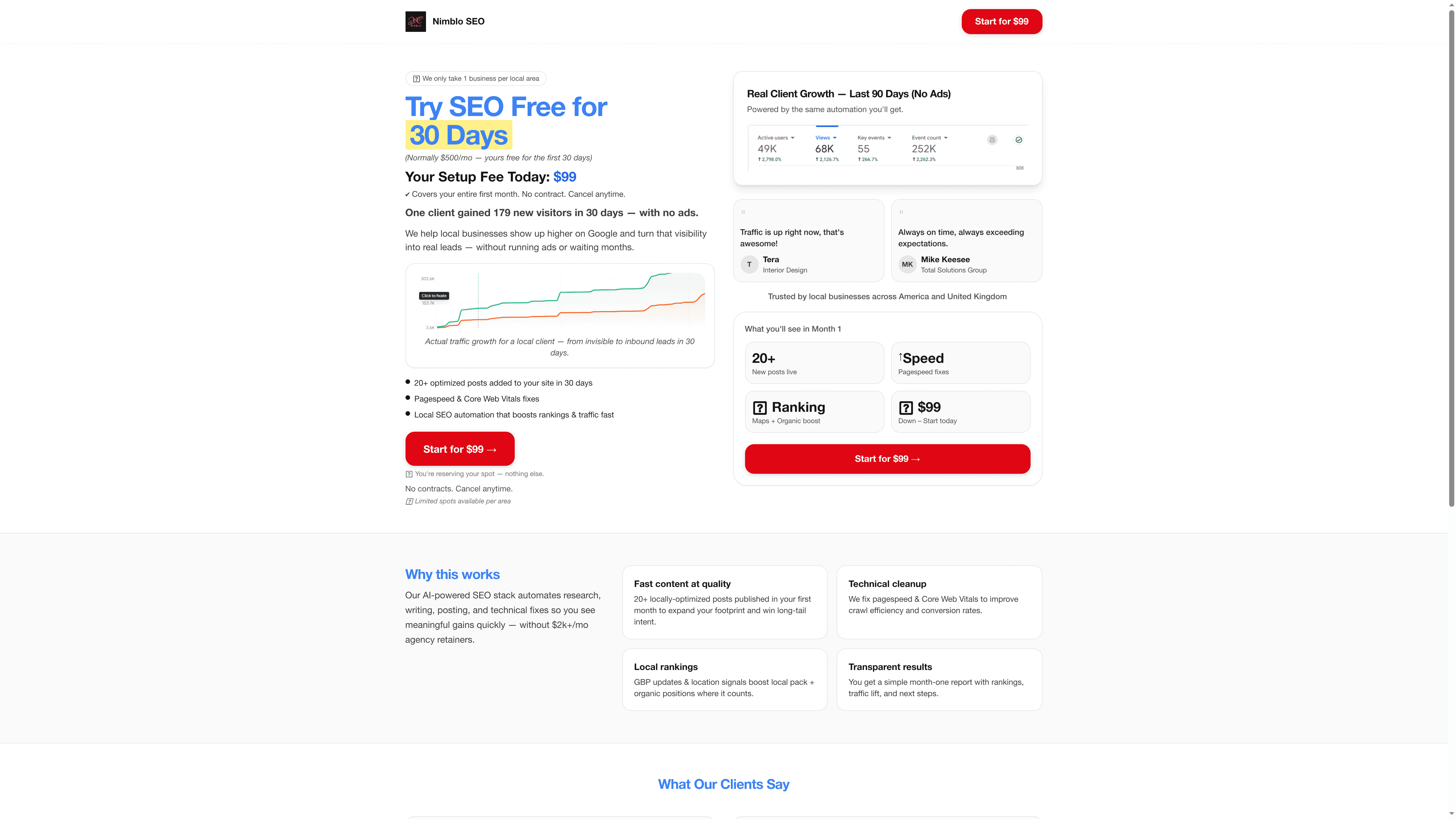
Ready to transform your online presence with a platform built for Florida SMBs who want rapid setup, local expertise, and cost-effective digital marketing solutions? Visit Nimblo.ai today and unlock features like automated local SEO, conversion-focused web design, and ongoing performance monitoring. Start maximizing your website speed and lead generation now with no contracts and one flat fee. Explore the details and get started at Nimblo.ai All-in-One Solution and see why so many Florida businesses trust us to accelerate their success.
Frequently Asked Questions
How can I choose the right web hosting for my Florida small business?
Choosing the right web hosting involves looking for providers that offer local server infrastructure and solid state drive (SSD) storage for faster loading times. Evaluate options based on uptime guarantees, customer support, and scalability needs to enhance your website’s performance.
What image formats should I use to optimize website speed?
To optimize website speed, use modern image formats like WebP, which provide superior compression without compromising quality. Aim to keep individual image file sizes under 200 kilobytes for better performance on your site.
How do I minimize CSS and JavaScript files to improve loading times?
You can minimize CSS and JavaScript files by removing unused code, combining multiple files into fewer resources, and using modern build tools to compress them. This action can dramatically reduce the number of HTTP requests and enhance loading speed.
What steps can I take to implement browser caching for my website?
To implement browser caching, set appropriate HTTP headers that dictate how long static files should be stored in visitors’ browsers. This approach can significantly reduce loading times for returning visitors, improving overall user experience.
How can a Content Delivery Network benefit my website’s performance?
A Content Delivery Network (CDN) improves your website’s performance by caching content on multiple servers, allowing visitors to access data from the nearest server. Start by integrating a free CDN tier to experience faster loading times and better reliability for your small business.
How often should I monitor my website’s speed for optimal performance?
You should monitor your website’s speed at least once a month to catch potential issues early. Regular evaluations using performance tools help you quantify improvements and ensure that your site remains fast and responsive.