
TL;DR:
- Poor data costs enterprises between $12.9 and $15 million annually.
- Data enrichment enhances existing data by adding relevant external context for better decisions.
- Successful programs focus on targeted, business-aligned fields, automation, and compliance.
Poor data is not just an IT headache. Bad data costs enterprises between $12.9 and $15 million annually, yet most operations leaders respond by collecting even more data. That instinct is understandable but counterproductive. Volume without quality creates noise, not insight. Data enrichment flips that equation. Instead of piling on more raw records, enrichment improves what you already have by adding context, accuracy, and relevance. This guide breaks down exactly what data enrichment is, how the process works, where it delivers real ROI, and how to avoid the pitfalls that derail even well-funded enterprise programs.
Table of Contents
- What is data enrichment?
- How does data enrichment work?
- The business case: Why data enrichment matters
- Real-world challenges: Pitfalls, compliance, and LLM edge cases
- Best practices for operationalizing data enrichment
- Perspective: Why smart enrichment beats bigger data
- Optimize your enterprise operations with trusted enrichment
- Frequently asked questions
Key Takeaways
| Point | Details |
|---|---|
| Enrichment boosts value | Enhancing existing data with relevant new fields makes records more actionable and profitable. |
| Quality trumps quantity | Targeted, governed enrichment yields better results than simply collecting more data. |
| ROI is proven | Enriched enterprise data can double conversions and drive significant revenue growth. |
| Watch for pitfalls | Be aware of data decay, compliance risks, and over-enrichment when planning strategies. |
What is data enrichment?
At its core, data enrichment is the process of enhancing existing internal data by appending relevant information from external or additional internal sources. Think of your CRM as a contact sheet someone filled out in a hurry. Names and emails are there, but job titles are missing, company sizes are outdated, and there is no indication of purchase intent. Enrichment fills those gaps using trusted third-party data providers, behavioral signals, and contextual sources.
“Data enrichment transforms incomplete internal records into actionable intelligence by layering in verified external context that drives smarter decisions.”
It is worth separating enrichment from two related but distinct activities. Data collection is the act of gathering raw records, pulling form fills, scraping web data, or importing lists. Data cleansing is the process of correcting errors, removing duplicates, and standardizing formats. Enrichment goes further. It assumes your records are reasonably clean and asks: what additional context would make these records more useful?
Common examples of enrichment in enterprise settings include:
- Firmographic appending: Adding company size, industry vertical, annual revenue, and headquarters location to account records
- Demographic layering: Attaching job title, seniority level, and department to contact records
- Intent signals: Flagging accounts that are actively researching solutions in your category based on third-party behavioral data
- Tech stack data: Identifying which software tools a prospect already uses, which matters enormously for competitive positioning
- Social and contact verification: Confirming LinkedIn profiles, direct phone numbers, and business email validity
When enrichment is done right, it unlocks sharper audience segmentation, smoother personalization at scale, faster lead routing, and significantly less manual research time for your sales and operations teams. The difference between a record that says “John Smith, Acme Corp” and one that says “John Smith, VP of Operations, Acme Corp, 500 employees, uses Salesforce, currently evaluating ERP vendors” is the difference between a cold outreach guess and a targeted, relevant conversation.
How does data enrichment work?
Understanding the mechanics helps you build a process that actually holds up under enterprise conditions. The typical enrichment workflow follows a clear sequence.
- Data audit: Assess your existing records for completeness, accuracy, and consistency. Identify which fields are missing or stale.
- Cleaning: Standardize formats, remove duplicates, and correct obvious errors before appending anything new.
- Source identification: Select enrichment providers or internal data sources that match your target fields and compliance requirements.
- Record matching: Use reliable matching keys, typically business email addresses or company domains, to align your internal records with external data.
- Data appending: Attach the new fields to matched records, either in bulk or in real time depending on your workflow.
- Validation: Run quality checks to confirm appended data meets accuracy thresholds and flag low-confidence matches for review.
- Integration: Push enriched records back into your CRM, data warehouse, or automation workflow for data ops so downstream systems benefit immediately.
The core mechanics of assessment, cleaning, matching, appending, validation, and integration form the backbone of every reliable enrichment pipeline, whether you run it manually or automate it end to end.

One of the most important structural decisions is choosing between batch and real-time enrichment.
| Factor | Batch enrichment | Real-time enrichment |
|---|---|---|
| Speed | Scheduled runs (daily, weekly) | Instant, on record creation |
| Cost | Lower per record | Higher per record |
| Best for | Large historical data refreshes | Live CRM updates, web forms |
| Complexity | Moderate | Higher, requires API integration |
Matching quality is where most programs quietly fail. If your matching key is a personal Gmail address instead of a business domain, match rates drop dramatically and you end up appending data to the wrong records. Always validate your keys before you run enrichment at scale.
Pro Tip: Embed enrichment triggers directly into your ETL pipelines and RevOps workflows. When a new lead enters your system or an account reaches a defined threshold, enrichment fires automatically. This keeps your data fresh without manual intervention and creates a governance trail you can audit.
The business case: Why data enrichment matters
With process covered, it is time to look at what enrichment actually delivers in dollar terms. The numbers are hard to ignore.
Enriched data can double lead conversion rates, improve overall data quality by 40%, and drive revenue growth of up to 30%. Those are not marginal gains. For an enterprise running a $10 million revenue target, a 30% lift is a $3 million outcome.
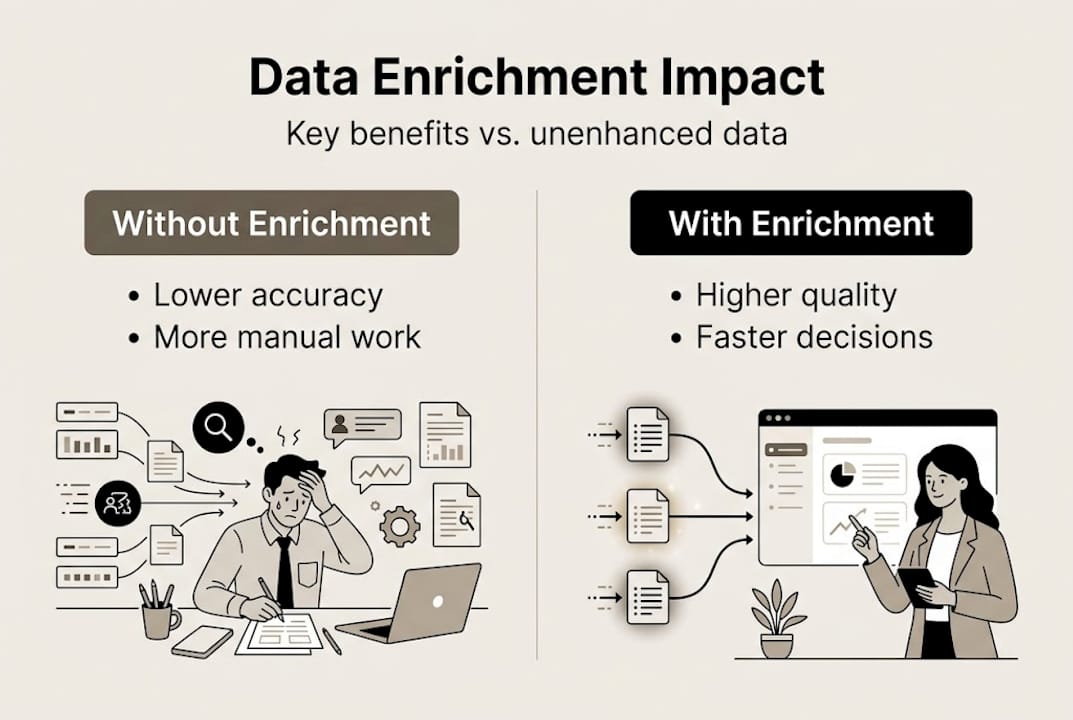
| Metric | Without enrichment | With enrichment |
|---|---|---|
| Lead conversion rate | Baseline | Up to 2x improvement |
| Data quality score | Low to moderate | Up to 40% improvement |
| Revenue impact | Baseline | Up to 30% increase |
| Manual research time | High | Significantly reduced |
The operational benefits extend well beyond sales performance. When your records are enriched, cross-departmental coordination becomes faster because everyone is working from the same accurate context. Finance does not need to chase down account details. Customer success does not need to re-qualify accounts that sales already enriched. Decisions that used to require three meetings now happen in one.
High-impact use cases where enrichment pays off fastest:
- AI-powered lead qualification: Enriched firmographics and intent signals let AI models score leads with far greater precision
- Churn prediction: Behavioral and firmographic changes, like a key contact leaving or a company downsizing, trigger early warning flags
- Personalization at scale: Marketing and sales teams can tailor messaging to actual company context rather than generic segments
- Compliance readiness: Enriched records with verified contact details reduce the risk of reaching out to individuals under regulatory restrictions
- Lead scoring best practices: Accurate data inputs produce more reliable scoring models, which means less wasted effort on low-fit accounts
Decision-making speed is the underrated benefit. When your operations team can trust the data in front of them, they stop second-guessing and start acting.
Real-world challenges: Pitfalls, compliance, and LLM edge cases
While the benefits are compelling, successful enrichment means being aware of real risks that can quietly erode your investment.
The most persistent problem is data decay. CRM data decays at a rate of 25 to 40% annually. People change jobs, companies restructure, phone numbers go stale. An enrichment program that runs once and stops is worse than no enrichment at all, because it creates false confidence in data that is already aging out.
“Stale enriched data is more dangerous than missing data because teams act on it without questioning its accuracy.”
Compliance is the second major risk area. GDPR in Europe and CCPA in California impose strict rules on how you collect, store, and use personal data. Enrichment from non-compliant sources can expose your organization to significant fines. Every enrichment source you use needs to be vetted for regional compliance, and your enrichment pipeline needs to be auditable so you can demonstrate how data was obtained.
Common pitfalls to watch for:
- Over-enrichment: Appending every available field creates data bloat and makes records harder to act on. More fields do not mean more insight.
- Poor matching keys: Using unreliable identifiers like personal emails or inconsistent company name formats leads to mismatched records
- LLM limitations: Large language models used for enrichment tasks can hallucinate fields or fill in plausible-sounding but inaccurate data, especially for niche companies or recent events
- Context gaps: Enrichment tools trained on older data sets may miss recent firmographic changes, acquisitions, or leadership transitions
Pro Tip: Before scaling any enrichment program, run a structured pilot on a defined segment of your database. Measure match rates, accuracy, and downstream conversion impact before committing to a full rollout. Refresh enriched data on a 3 to 6 month cycle and focus only on fields that directly connect to a business decision.
Best practices for operationalizing data enrichment
With pitfalls addressed, here is how operations leaders can build enrichment into a sustained, scalable capability rather than a one-time project.
- Set specific goals first: Define which business outcomes you are trying to improve before selecting any enrichment fields. Conversion rate? Churn reduction? Compliance coverage? Goals determine which data matters.
- Vet your sources rigorously: Prioritize enrichment sources based on accuracy benchmarks, compliance certifications, and refresh frequency. Not all data providers are equal.
- Build automation and triggers: Manual enrichment does not scale. Automate enrichment to fire on specific triggers: new record creation, account reaching a revenue threshold, or a contact changing roles.
- Embed governance from day one: Every enrichment action should be logged with source, timestamp, and confidence score. This creates the audit trail compliance teams need and gives operations leaders visibility into data lineage.
- Define KPIs and feedback loops: Track match rates, field completion rates, and downstream conversion impact. Embed enrichment in ETL and RevOps pipelines with built-in feedback loops so you can identify which fields are actually driving decisions and which are just adding noise.
- Use a marketing automation checklist: Align your enrichment triggers with broader automation workflows so enriched data flows seamlessly into the right systems at the right time.
Pro Tip: Focus on intent signals and behavioral triggers as your highest-value enrichment fields. Knowing that an account is actively researching your category right now is worth more than a hundred static firmographic fields. Build enrichment around what drives action, not what looks impressive in a data dictionary.
Hyperfocusing on business-aligned fields, tech stack data, buying intent, and decision-maker contact details consistently outperforms broad enrichment programs that try to capture everything.
Perspective: Why smart enrichment beats bigger data
From working alongside enterprise operations teams, one pattern shows up repeatedly. The organizations that get the most from enrichment are not the ones with the largest data budgets. They are the ones that stay ruthlessly focused on which data fields actually connect to a decision.
The instinct to source all available data is understandable. It feels like thoroughness. But in practice, it produces bloated records, confused sales reps, and enrichment programs that cost more to maintain than they return. Every field you append needs to earn its place by linking directly to a business goal or a workflow trigger.
The smarter approach, which we have seen work consistently in enterprise pilots, is to treat enrichment as a feedback loop rather than a one-time build. Start narrow, measure impact, expand only where the data proves its value. This is exactly the kind of streamlined automation for agencies and enterprise teams that separates programs with real ROI from programs that just look good in a quarterly review. Pilot first, scale what works, and let your actual user journey dictate which context matters.
Optimize your enterprise operations with trusted enrichment
The strategies in this guide are actionable today, but putting them into practice at enterprise scale requires the right infrastructure and expertise behind them.
Nimblo’s embedded automation teams specialize in building exactly the kind of enrichment pipelines, governance frameworks, and trigger-based workflows that operations leaders need to turn data quality into measurable business outcomes. Whether you are starting your first enrichment program or rebuilding a broken one, our automation pods work directly inside your operations to design, deploy, and optimize the process. Explore how enterprise data enrichment tools from Nimblo can reduce manual effort, improve data accuracy, and drive the efficiency gains your organization is ready for.
Frequently asked questions
How does data enrichment improve operational efficiency?
Enriched records are more accurate and actionable, so teams make faster decisions and spend less time manually researching or correcting bad data across systems.
What types of data are commonly added during enrichment?
Typical fields include firmographics, demographics, buying signals, job titles, and tech stack details, as outlined in common enrichment fields used across enterprise programs.
How often should enterprise data be enriched?
Most organizations follow refresh schedules of every 3 to 6 months to counteract natural data decay and maintain accuracy across CRM and operational records.
What are the main risks or downsides of data enrichment?
The primary risks are data bloat from over-enrichment, compliance violations tied to unvetted sources, and matching errors that attach data to the wrong records without proper governance.