
More than 97 percent of american consumers search online for local businesses before making a decision. When it comes to being discovered, a strong digital presence is no longer optional for american businesses looking to win local customers. Setting up and optimizing your Google Business Profile is a simple yet powerful way to stand out in crowded search results, attract new customers, and make a lasting first impression.
Table of Contents
- Claim and Verify Your Google Business Profile
- Enter Complete and Accurate Business Information
- Select Relevant Business Categories
- Add High-Quality Photos and Videos
- Collect and Respond to Customer Reviews
- Utilize Google Posts and Offers
- Monitor Insights and Optimize Regularly
Quick Summary
| Takeaway | Explanation |
|---|---|
| 1. Claim Your Google Business Profile | This is the first step to increasing your local online visibility. Accurate profile management is essential for attracting customers. |
| 2. Use Complete and Accurate Information | Ensure your business details are precise to enhance your search rankings and customer trust. Regular updates are essential for accuracy. |
| 3. Select Specific Business Categories | Choose the most relevant categories to increase your chances of appearing in search results that match your services. Be specific. |
| 4. Add High-Quality Visuals | Professional photos and videos create a strong first impression and engage potential customers effectively. Update visuals regularly. |
| 5. Collect and Respond to Reviews | Engage with customer feedback promptly to build trust and demonstrate commitment to quality service. Personalize responses for better impact. |
1. Claim and Verify Your Google Business Profile
Establishing your digital presence begins with claiming your Google Business Profile—a critical first step for local businesses seeking online visibility. This free tool allows you to manage how your business appears across Google Search and Maps, ensuring potential customers find accurate information about your company.
To start, search for your business name on Google. If you see an ‘Own this business?’ link, click it and follow the setup prompts. For businesses not yet listed, visit the Google Business Profile setup page to create a new profile.
Verification is a mandatory process that confirms you are the legitimate business owner. Google offers multiple verification methods: phone verification, text message, video call, or by postal mail. The postal verification method can take up to 14 business days, so plan accordingly. A verification code will be sent to your registered business address, which you’ll need to enter into your profile to complete the process.
Once verified, you gain full control over your business information, allowing you to update your hours, add photos, respond to customer reviews, and showcase what makes your business unique. This simple step transforms your online presence and helps potential customers find and choose your business with confidence.
2. Enter Complete and Accurate Business Information
A Google Business Profile is your digital storefront, and the accuracy of your information can make or break your online visibility. Comprehensive and precise business details are essential for attracting potential customers and improving your search rankings.
Your profile should include critical business information such as your exact business name, physical address, primary phone number, website URL, operational hours, and a detailed description of your services. Local business citations rely heavily on consistent information across all online platforms.
When filling out your profile, be meticulous about every detail. Your business description should clearly communicate what you do, highlighting unique services or products. Include high-quality images that represent your business professionally—think exterior storefront shots, interior workspace, team photos, or product images.
Update your hours of operation frequently, especially during holidays or unexpected closures. Customers appreciate real-time information, and Google rewards profiles with current, accurate data. Pro tip: Review your information quarterly to ensure everything remains current and reflects any recent changes in your business structure, services, or contact details.
3. Select Relevant Business Categories
Your Google Business Profile acts as a digital compass, guiding potential customers directly to your services. Selecting the right business categories is crucial for ensuring your business appears in the most relevant search results.
Think of business categories as digital signposts that help Google understand exactly what your business offers. Google Business Profile tips recommend choosing a primary category that most accurately describes your core business, followed by 2 to 3 secondary categories that capture additional services or specialties.
When selecting categories, be as specific as possible. Instead of choosing a broad category like “Retail Store,” opt for a precise description such as “Boutique Clothing Store” or “Organic Skincare Shop.” This specificity helps Google match your business with customers searching for exactly what you provide.
Pro tip: Review your categories periodically. As your business evolves or adds new services, your Google Business Profile categories should reflect those changes. For example, a restaurant that starts offering catering should add “Catering Service” as a secondary category to capture additional search traffic and potential customers.
4. Add High-Quality Photos and Videos
Visual content is the secret weapon of successful Google Business Profiles. Professional imagery speaks volumes about your business before a customer even walks through the door, creating a powerful first impression that can significantly influence customer decisions.
When adding photos, aim for a diverse and comprehensive visual story. Google Business Profile optimization recommends including multiple image types: exterior storefront shots, interior workspace, team photos, product displays, and action shots of your services in motion. Professional quality matters—blurry or low-resolution images can inadvertently communicate a lack of attention to detail.
Strategic photo selection is key. Showcase what makes your business unique. A bakery might feature close-up shots of artisan bread, while a fitness studio could highlight training sessions and state-of-the-art equipment. Videos are equally powerful, offering potential customers a dynamic glimpse into your business environment and services.
Consider uploading 10 to 15 high-quality images and at least one short video. Update these visuals quarterly to keep your profile looking fresh and current. Remember, your Google Business Profile is often the first interaction potential customers have with your brand—make those visual seconds count.
5. Collect and Respond to Customer Reviews
Customer reviews are the digital word of mouth that can make or break your business reputation. Online reputation management goes far beyond simply collecting stars—it is about creating a genuine dialogue with your customers and demonstrating your commitment to their experience.
Local business citations consistently show that businesses that actively engage with reviews see higher customer trust and improved search rankings. Develop a systematic approach to review management: respond to every review within 48 hours, whether positive or negative.
For positive reviews, craft personalized responses that show appreciation. Thank customers by name and highlight the specific aspect of their experience they enjoyed. When addressing negative reviews, take a professional and solution oriented approach. Acknowledge the customer’s concern, apologize sincerely, and offer to resolve the issue offline.
Pro tip: Create a simple workflow for review management. Assign a team member to monitor and respond to reviews regularly. Consider sending follow-up emails to satisfied customers, providing an easy link for them to share their experience. Remember, each review is an opportunity to showcase your business’s values and commitment to exceptional customer service.
6. Utilize Google Posts and Offers
Google Posts are your digital megaphone, offering a direct channel to showcase your business’s latest offerings, events, and promotions. Dynamic content marketing through these posts can transform your Google Business Profile from a static listing to an engaging, interactive platform.
Google Business Profile optimization thrives on consistent, strategic content updates. Create posts that highlight seasonal promotions, upcoming events, new product launches, or special discounts. Each post can include an eye-catching image, concise description, and clear call to action that drives customer engagement.
Aim to publish a new post every week, keeping your content fresh and relevant. These posts appear directly in search results and maps, giving potential customers an immediate snapshot of your current offerings. Pro tip: Use high quality images, write compelling descriptions under 300 characters, and always include a button that encourages action—whether that is booking an appointment, claiming an offer, or learning more about a special promotion.
Remember that Google Posts expire after seven days, so maintaining a regular posting schedule is crucial to keep your profile dynamic and interesting. Think of these posts as mini advertisements that work around the clock to attract and inform potential customers.
7. Monitor Insights and Optimize Regularly
Your Google Business Profile is a living digital asset that requires continuous attention and strategic refinement. Performance tracking transforms your profile from a static listing into a dynamic marketing tool that adapts to customer behaviors and preferences.
Local business optimization relies on understanding the key metrics Google provides. Dive into the Insights section of your profile to uncover critical data points: how customers find your business, what actions they take, and which search queries lead them to your listing. Pay close attention to metrics like profile views, website clicks, direction requests, and phone call volumes.
Pro tip: Set a monthly calendar reminder to review your Google Business Profile insights. Look for trends in customer interactions and adjust your profile accordingly. If you notice most customers are finding you through mobile searches, ensure your mobile profile presentation is crisp and compelling. If direction requests are high, make sure your address and location details are crystal clear.
Remember that optimization is an ongoing process. What works today might need adjustment tomorrow. Treat your Google Business Profile as a living document that evolves with your business, always reflecting your most current offerings, services, and customer experience.
Below is a comprehensive table summarizing the main steps and strategies for optimizing your Google Business Profile, as discussed in the article.
| Main Step | Key Points & Actions | Benefits/Outcomes |
|---|---|---|
| Claim and Verify Profile | Search your business name; click ‘Own this business?’ if listed, or create a new profile if not; complete verification by phone, text, video call, or mail. | Control over business info, improved online visibility. |
| Enter Accurate Info | Include business name, address, phone, website, hours, and description; add quality images; update hours regularly. | Enhanced search rankings, attracts customers. |
| Select Business Categories | Choose specific primary and secondary categories; update as services evolve. | Better search result relevance, captures niche traffic. |
| Add Quality Photos/Videos | Use diverse, high-quality images and videos; update visuals quarterly. | Strong first impressions, increased customer engagement. |
| Manage Customer Reviews | Respond to all reviews within 48 hours; handle negative feedback professionally; encourage review submissions. | Improved reputation, higher customer trust. |
| Utilize Google Posts | Publish weekly posts with high-quality images, concise descriptions, clear call to actions. | Engaging content, increased customer interaction. |
| Monitor Insights Regularly | Analyze Insights for trends; adjust profile based on customer interactions. | Better understanding of customer behavior, optimized profile performance. |
Master Your Google Business Profile with Nimblo.ai
The article “7 Essentials for a Google Business Profile Checklist” highlights key challenges for Florida SMBs trying to stand out online. From claiming and verifying your profile to managing reviews and continuously optimizing with Google Posts, every step demands time, attention, and technical skill. Small business owners often feel overwhelmed trying to keep their business information accurate, respond promptly to customer feedback, post engaging offers, and analyze insights to boost local SEO performance. If these sound familiar, it shows you need a smarter way to take control.
Nimblo.ai offers an all-in-one platform designed for busy Florida SMBs that want to simplify and power up their digital marketing without juggling multiple costly tools. Our solution includes AI-powered local SEO, Google Business Profile management, automated follow-ups, and optimized website design all rolled into one easy-to-use SaaS package. Save time by automating your lead generation and reputation management so you can focus on growing your business in your local market. Join other local businesses benefiting from rapid setup, expert support, and measurable lead growth.
Unlock your true local potential today by visiting Nimblo.ai to discover how our platform transforms your Google Business Profile management and digital presence.
Ready for proven local SEO results that drive real customers? Start now with our streamlined platform at Get Started with Nimblo.ai and experience the difference of a complete, hassle-free marketing solution.
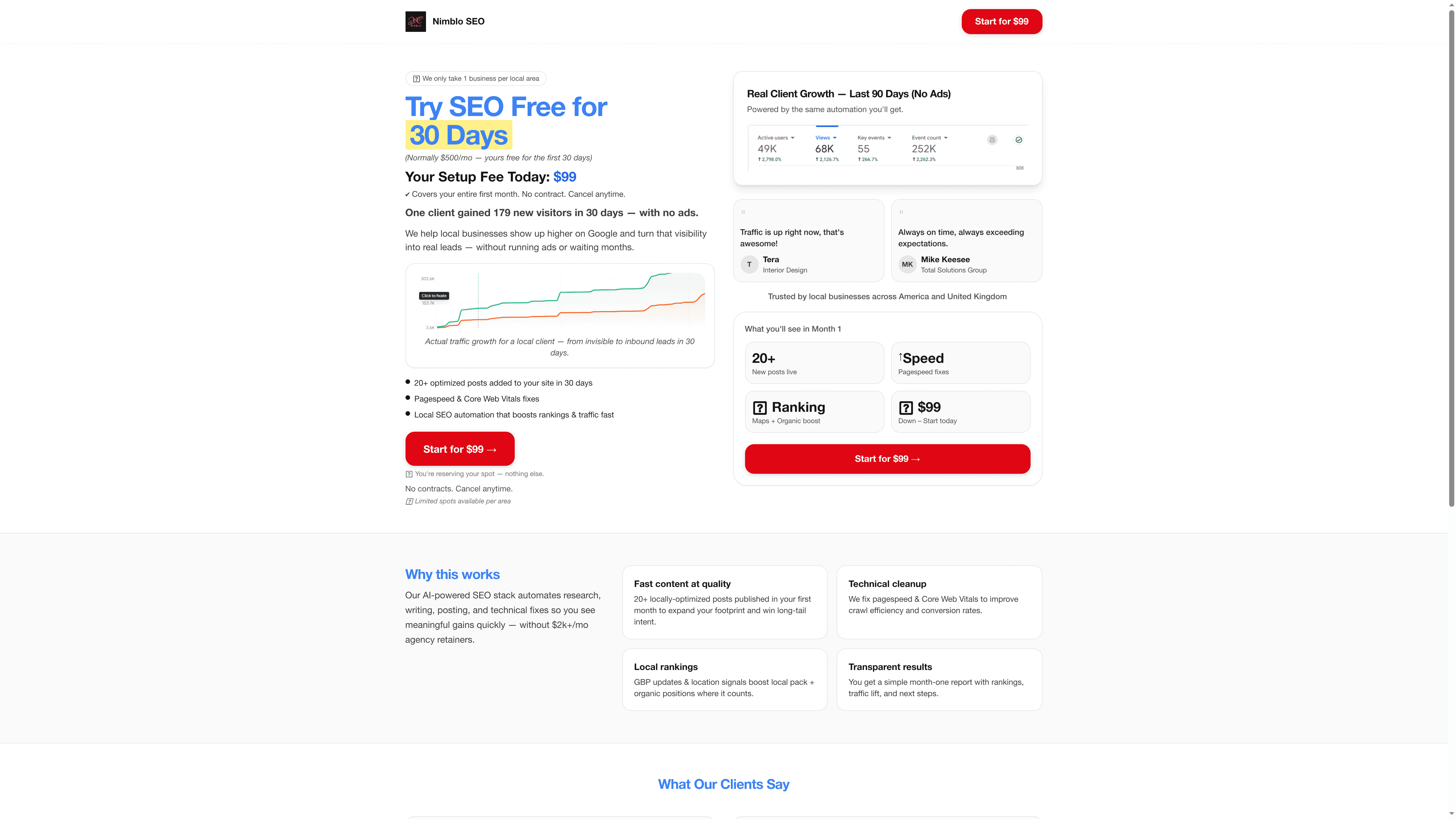
Take control of your digital storefront with Nimblo.ai and turn your Google Business Profile into your most powerful growth tool. Learn more and sign up today at Nimblo.ai.
Frequently Asked Questions
How do I claim my Google Business Profile?
To claim your Google Business Profile, search for your business name on Google. If you see a link that says ‘Own this business?’, click it and follow the prompts to set up your profile.
What information should I include in my Google Business Profile?
Include critical details such as your business name, physical address, phone number, website URL, operational hours, and a detailed description of your services. Ensure the information is complete and accurate to enhance your visibility and attract potential customers.
How can I choose the right business categories for my profile?
Select the most relevant primary category that best describes your main business activity and add 2-3 secondary categories for additional services. Be specific with your choices to improve your chances of appearing in related searches.
What types of photos and videos should I add to my Google Business Profile?
Upload a variety of high-quality images showcasing your exterior, interior, team, and products. Aim for at least 10 to 15 images and one short video to create a compelling visual representation of your business.
How often should I respond to customer reviews?
Respond to every customer review within 48 hours, regardless of whether it’s positive or negative. This demonstrates your commitment to customer service and helps build trust with potential customers.
How can I utilize Google Posts effectively?
Post weekly updates about promotions, events, or new products to keep your profile engaging. Each post should include an eye-catching image, a brief description, and a call to action to encourage customer engagement.