
Most Florida small business owners believe a sleek website guarantees local visibility. Yet thousands of potential customers searching for services near you never see your business because you’re missing the single most powerful free tool Google offers: your Google Business Profile. This profile controls how you appear in local search results and maps, directly influencing whether customers find you or your competitors. Understanding what a Google Business Profile is and how to leverage it properly can transform your local reach, boost customer engagement, and drive measurable growth without spending a dollar on ads.
Table of Contents
- Key takeaways
- What is a Google Business Profile and why it matters for Florida SMBs
- Key nuances and best practices for managing your Google Business Profile in Florida
- How Google Business Profile verification and AI updates affect visibility in 2026
- Practical steps to optimize and maintain your Google Business Profile for local success
- Leverage expert help to master your Google Business Profile
- Frequently asked questions about Google Business Profile
Key Takeaways
| Point | Details |
|---|---|
| GBP overview | Google Business Profile is a free tool to manage your online presence across Google Search and Maps, letting you control name, address, hours, photos, reviews, and posts to improve local visibility and engagement. |
| Local visibility boost | A complete profile improves chances of appearing in the local pack and drawing customers in your area. |
| Verification and updates | Verification and keeping business information accurate and fresh is critical for effective local performance. |
| Florida multi location rules | In Florida, businesses with multiple locations must verify each address separately and set the service area accurately, while using local area codes and adjusting hours seasonally. |
What is a Google Business Profile and why it matters for Florida SMBs
Google Business Profile is a free tool that allows businesses to manage their online presence across Google Search, Maps, and other products, enabling control over information like name, address, hours, photos, reviews, and posts to improve local visibility and customer engagement. When someone in Tampa searches for “plumber near me” or “best HVAC repair Miami,” your profile determines whether you appear in the coveted local pack, that group of three businesses prominently displayed at the top of results with map pins.
Your profile acts as your digital storefront. Customers see your business name, exact location, operating hours, phone number, website link, service categories, and customer reviews before they ever click through. You control these elements directly through the GBP dashboard, updating them instantly as your business evolves. Adding high-quality photos of your team, completed projects, or storefront creates visual trust that generic listings lack.
For Florida SMBs competing in dense markets like Orlando, Jacksonville, or Fort Lauderdale, a well-maintained profile directly impacts whether local customers choose you over competitors. Google’s algorithm weighs profile completeness, accuracy, and engagement signals when ranking businesses. Incomplete profiles with outdated hours or missing photos signal neglect, pushing you down in search results while competitors with optimized profiles capture your potential customers.

The stakes are particularly high in Florida’s seasonal markets. Tourists and new residents rely heavily on Google Maps to find services, making your profile the first impression for a massive audience. A profile showing closed hours when you’re actually open costs you immediate revenue. Conversely, a profile with fresh photos, recent posts about promotions, and thoughtful responses to reviews builds credibility that converts searchers into paying customers.
Pro Tip: Update your profile photos and create a new Google post at least twice monthly. Fresh content signals active management to both Google’s algorithm and potential customers, keeping your business top of mind and improving your local search ranking.
Key nuances and best practices for managing your Google Business Profile in Florida
Managing a Google Business Profile involves complexities beyond basic setup, particularly for businesses with multiple locations or service areas. Multi-location requires separate verification for each physical location, and service-area businesses must hide their address while defining their service radius accurately to avoid suspension. Florida-specific considerations include using local area codes to build trust with customers and adjusting hours seasonally to accommodate tourist influx during peak months.
Businesses operating from multiple Florida cities must create distinct profiles for each location. Google treats each address as a separate entity requiring individual verification. Attempting to manage multiple locations under one profile or sharing verification across addresses triggers compliance issues. Each profile needs unique photos, localized posts, and location-specific review management to maximize relevance for customers in that area.
Service-area businesses like plumbers, electricians, or mobile pet groomers face different rules. You must hide your physical address since customers don’t visit your location, then define your service radius by city or ZIP code. Overclaiming your service area by listing every Florida city or setting an unrealistic 100-mile radius violates guidelines and risks suspension. Be honest about where you actually serve customers regularly.
Common suspension triggers include keyword stuffing your business name (“Best Miami Plumber Joe’s Plumbing”), maintaining inconsistent name, address, and phone data across the web, soliciting or posting fake reviews, and creating duplicate profiles. Google’s automated systems detect these violations quickly, and recovering from suspension requires lengthy appeals. Prevention through compliant management practices saves significant time and lost revenue.
Florida’s unique market dynamics demand localized optimization. Using a Miami area code (305 or 786) for your Miami location rather than a generic toll-free number builds immediate local credibility. Adjusting your hours during snowbird season when tourist traffic peaks in Southwest Florida or updating your profile to reflect hurricane season closures demonstrates responsiveness that customers notice and appreciate.
Pro Tip: Never manage multiple business profiles under a single Google account if they’re unrelated or owned by different entities. Google can chain-suspend all profiles in an account if one violates guidelines, taking down your entire online presence instantly.
Top 5 management best practices for Florida SMBs
- Verify each location separately using the method Google provides, typically postcard or phone, and never share verification codes across profiles.
- Keep your name, address, and phone number identical across your website, social media, and directory listings to maintain consistency Google rewards.
- Define service areas honestly based on where you actually operate, avoiding the temptation to overclaim territory you can’t realistically serve.
- Monitor your profile weekly for unauthorized edits, as competitors or users can suggest changes that Google may auto-approve without your review.
- Document all verification codes, login credentials, and ownership transfers in a secure location to prevent lockouts during staff changes.
How Google Business Profile verification and AI updates affect visibility in 2026
Verification via postcard or phone is essential before your profile becomes visible in search results, and certain business types including online-only operations, rental properties, and businesses that exist solely to generate sales leads are not eligible for profiles. Google’s 2026 algorithm updates incorporate AI to prioritize customer engagement quality and review sentiment analysis more heavily than raw review volume, fundamentally changing how profiles rank in local search.
The verification process serves as Google’s gatekeeper. After claiming your profile, you receive a postcard at your business address containing a unique code, or in some cases, Google offers phone or email verification. Until you enter that code, your profile remains invisible to customers searching for your services. This delay frustrates many new business owners, but it prevents spam profiles from flooding search results with fake businesses.
Eligibility restrictions eliminate certain business models from GBP entirely. Purely online businesses without a physical location or service area, vacation rental properties, timeshares, businesses existing only to generate leads for other companies, and businesses operating from residential addresses without proper licensing cannot maintain profiles. Attempting to create profiles for ineligible business types results in immediate rejection or suspension.
Google’s 2026 AI-driven updates mark a significant shift in local search ranking factors. The algorithm now analyzes review content using natural language processing to assess genuine customer sentiment rather than simply counting five-star ratings. A business with 50 authentic reviews showing detailed positive experiences outranks competitors with 200 generic reviews. AI prioritizes engagement signals like how quickly you respond to reviews, how often customers click your phone number or request directions, and whether your posts generate interactions.
| Factor | Traditional approach | 2026 AI-driven approach |
|---|---|---|
| Verification | Postcard/phone required | Unchanged, still required |
| Eligibility | Physical location or service area | Online-only businesses excluded |
| Review ranking | Volume-based (more = better) | Sentiment analysis (quality > quantity) |
| Engagement weight | Moderate ranking factor | Primary ranking signal |
| Response timing | Helpful but optional | Critical for visibility |
| Post performance | Minor visibility boost | Direct ranking impact |
Preparing for AI-driven local search in 2026
- Encourage detailed reviews by asking customers to share specific experiences rather than generic “great service” comments.
- Respond to every review within 24 hours, addressing concerns in negative reviews and thanking customers for positive feedback.
- Create Google posts featuring local events, seasonal promotions, or behind-the-scenes content that generates clicks and engagement.
- Monitor your profile’s Questions & Answers section, providing helpful responses that demonstrate expertise and customer care.
- Track engagement metrics in your GBP dashboard to identify which photos, posts, and updates drive the most customer actions.
Practical steps to optimize and maintain your Google Business Profile for local success
Optimizing your profile requires systematic attention to accuracy, visual appeal, review management, and consistent content updates. Proper maintenance transforms your profile from a static listing into a dynamic marketing asset that continuously attracts and converts local customers.
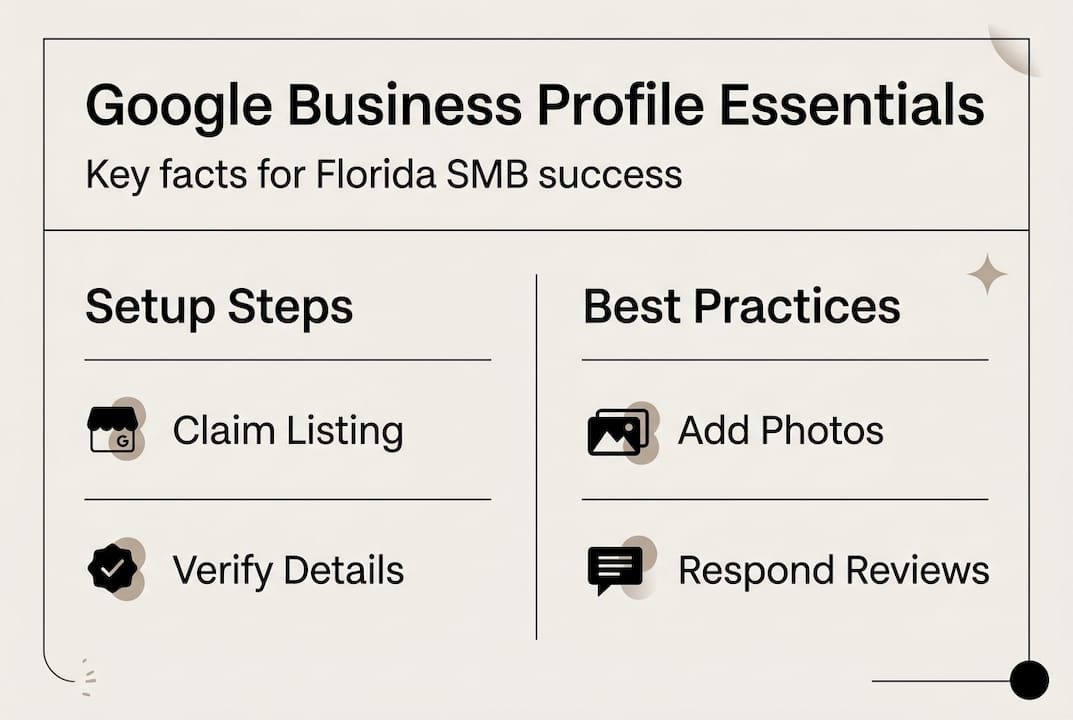
Start with foundational accuracy. Verify every detail: business name matches your legal name or DBA exactly, address includes suite numbers if applicable, phone number connects directly to your business without call centers or answering services, website URL points to your actual site not a social media page, and business categories accurately reflect your primary services. These elements form the trust signals Google uses to validate your legitimacy.
Visual content dramatically impacts customer decisions. Upload at least 10 high-quality photos showing your storefront exterior, interior workspace, team members, completed projects, and products. Update photos quarterly to reflect seasonal changes, new team members, or renovated spaces. Photos with faces receive 35% more engagement than generic product shots. Add a cover photo that immediately communicates what you do and a logo that reinforces brand recognition.
Review management requires active participation. Responding to reviews, both positive and negative, demonstrates that you value customer feedback and builds trust with potential customers reading your profile. Thank customers for positive reviews specifically, mentioning details they shared. Address negative reviews professionally, acknowledging concerns and offering to resolve issues offline. Never argue or make excuses publicly. Google’s algorithm rewards businesses that engage consistently with reviewers.
Google posts function like social media updates visible directly in your profile. Create posts announcing limited-time promotions, sharing helpful tips related to your industry, highlighting customer success stories, or promoting upcoming events. Posts remain visible for seven days, so maintaining a regular schedule keeps fresh content in front of potential customers. Posts with clear calls to action (“Call now,” “Book online,” “Visit today”) generate higher engagement than passive announcements.
| Content type | Ideal frequency | Primary benefit |
|---|---|---|
| Photos | Add 3-5 monthly | Builds visual trust, shows active business |
| Google posts | 2-4 per month | Keeps profile fresh, promotes offers |
| Review responses | Within 24 hours | Demonstrates customer care, improves ranking |
| Business info updates | As changes occur | Maintains accuracy, prevents customer confusion |
| Q&A monitoring | Check weekly | Provides helpful info, controls narrative |
Common maintenance pitfalls to avoid
- Ignoring customer questions in the Q&A section, allowing competitors or trolls to post misleading information.
- Letting outdated holiday hours remain active, causing customers to arrive when you’re closed.
- Responding defensively to negative reviews instead of professionally addressing concerns.
- Uploading low-quality phone photos instead of properly lit, high-resolution images.
- Forgetting to update your profile after moving locations, changing phone numbers, or expanding services.
Pro Tip: Schedule 30 minutes every Monday morning to review your profile’s performance, respond to new reviews, and create a Google post featuring that week’s promotion or helpful industry tip. This consistent routine keeps your profile optimized without overwhelming your schedule.
Leverage expert help to master your Google Business Profile
Managing a Google Business Profile effectively demands time, technical knowledge, and constant attention to algorithm changes that many Florida SMB owners struggle to maintain while running their core business. Professional management services handle verification complexities, optimize your profile for maximum local visibility, create engaging posts consistently, and monitor for unauthorized changes or compliance issues. Rather than learning through costly trial and error, you gain immediate access to proven strategies that accelerate your local search growth. Explore how expert Google Business Profile services can simplify your local marketing while delivering measurable results.
Partnering with specialists who understand Florida’s unique market dynamics, from seasonal tourism patterns to competitive local landscapes, ensures your profile works as hard as you do. You focus on serving customers while experts handle the technical optimization, content creation, and ongoing maintenance that keeps you visible when potential customers search for your services.
Frequently asked questions about Google Business Profile
What qualifies a business for Google Business Profile?
Businesses with a physical location customers can visit or service-area businesses that travel to customers qualify for profiles. Online-only businesses, rental properties, and lead generation operations do not meet eligibility requirements and will be rejected or suspended.
How do I verify my profile for local visibility?
Google sends a postcard with a unique verification code to your business address, which you enter in your dashboard to activate visibility. Some businesses receive phone or email verification options instead. Verification typically takes 5 to 7 business days from when you request the postcard.
Can I manage multiple locations in one account?
You can manage multiple locations through one Google account, but each location requires a separate profile with individual verification. Never share verification codes across locations or create duplicate profiles for the same address, as this violates guidelines and risks suspension.
What common mistakes lead to profile suspensions?
Keyword stuffing your business name, maintaining inconsistent contact information across online directories, soliciting fake reviews, creating profiles for ineligible business types, and overclaiming service areas trigger most suspensions. Following Google’s guidelines strictly prevents these issues.
How does AI in 2026 impact my profile’s ranking?
Google’s AI now analyzes review sentiment and engagement quality rather than just counting reviews. Profiles with detailed, authentic reviews, quick response times, regular posts, and high customer interaction (clicks, calls, direction requests) rank higher than profiles with more reviews but lower engagement signals.